Introducing the User Info panel! (The beginnings of Mod support inside Stream Focus)
Also introducing Connection Statuses! We can finally check in on the pulse behind Stream Focus.
And as always, other small improvements and bug fixes.
Added
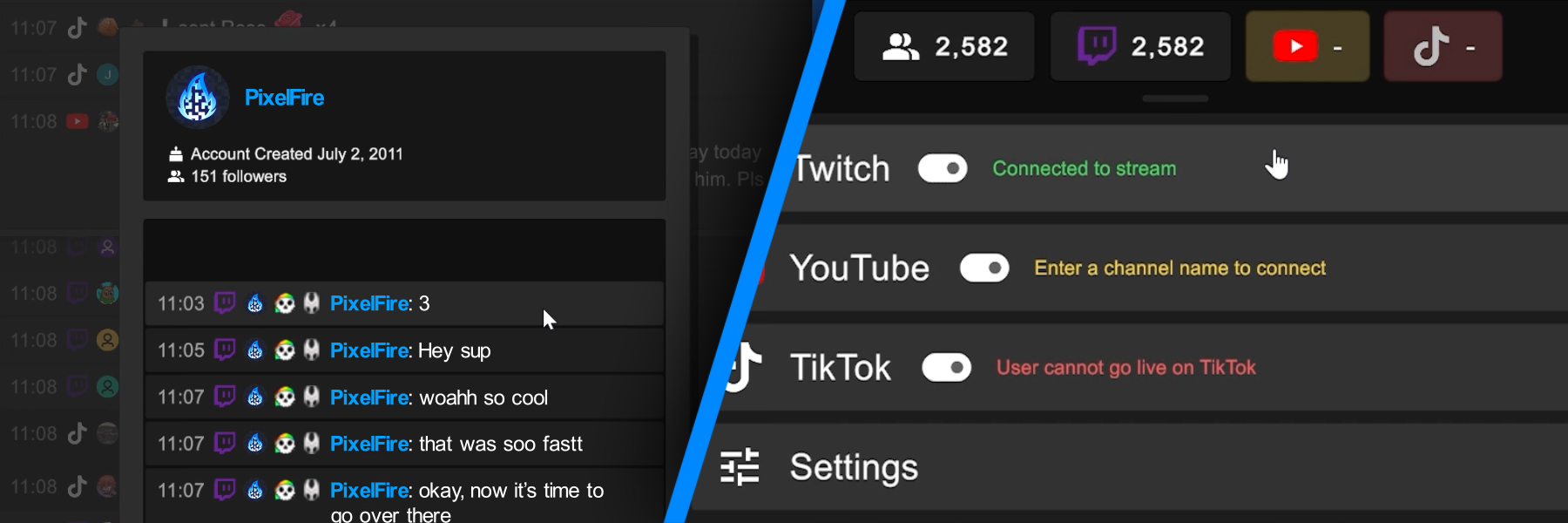
NEW User Info Panel – (The beginnings of Mod support inside Stream Focus)
Click on any username to bring up the User Info Panel
This will show the user’s chat/alert history from your current stream session, and also relevant info per platform:
Twitch – Account creation date, Following since date, follower count
YouTube – Channel creation date, subscriber count
TikTok – Follower count
(Eventually, this will also be where you can ban, kick, warn, etc. Coming soon…)
NEW Connection Statuses
In the Settings – Each platform now shows a connection status indicating whether it’s connected, still searching, or needs your attention in some way.
In the Top Bar – Platforms up at the top will also show a breathing color-coded indicator to match their connection status, giving you subtle but quick visual feedback.
Color Scheme -> Gray = Loading, Green = Connected, Yellow = Needs attention, Red = Error.
UI Enhancements
Text can now be highlighted (click drag) and copied (Ctrl-C).
Chat/Alert lines now get highlighted on mouse hover (mimics native Twitch/YouTube/TikTok).
Usernames now get highlighted on mouse hover (mimics native Twitch).
Chat/Alert text color has been changed from pure white to a slightly off-white (easier on the eyes).
Twitch – Stream info now shows up in the Twitch settings (Stream Title, Viewers, Duration, Category, Tags).
Twitch – “Whisper” messages and “Command” messages are now shown in the chat panel.
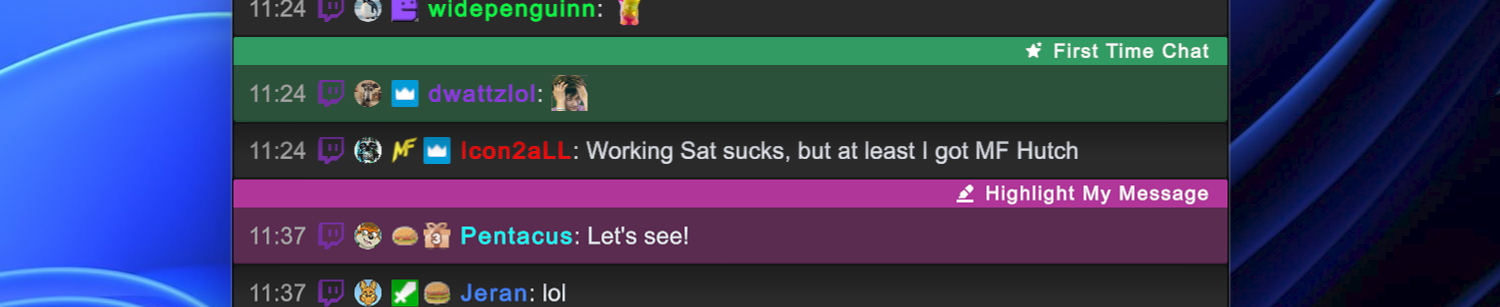
Twitch – “First Time Chat” messages are now green, and “Highlight My Message” messages are now purple. Styling for both messages has been unified.
Fixed
TikTok – Stream Focus now polls the TikTok API more smartly and a lot less aggressively when checking if a user is live. This should fix the rate limit issue we’ve been having lately.